HQby FormBusters Ask for early access

For all trade services: plumbing, HVAC, electrical, roofing and any other field service

One app for
your whole shop.

HQ puts your team chat and your field operations in one app. Announcements stay pinned until each person taps Got it. Group chats fill themselves from each person's role. Receipts, parts requests, van inspections, safety talks and job forms are one tap away.

On iPhone, iPad, Android, PC and Mac.

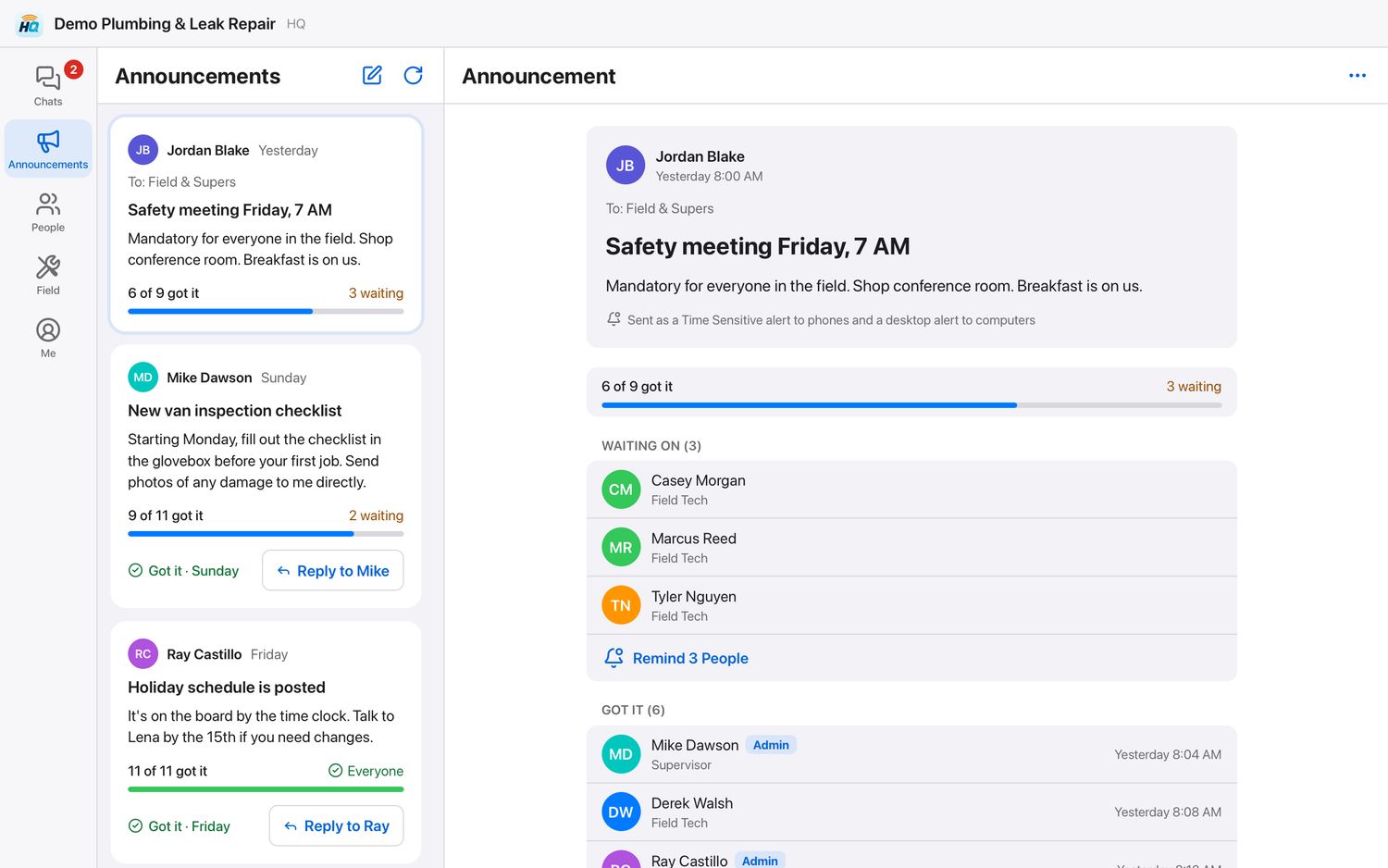
HQ on a PC: an announcement with the list of who has tapped Got it and who is still waiting
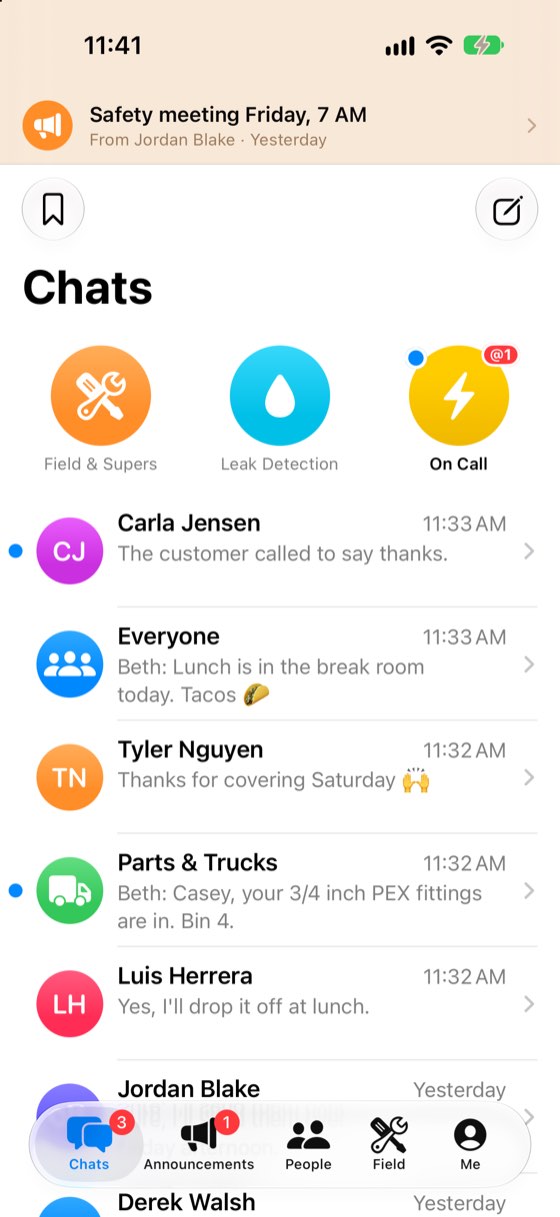
HQ on an iPhone: the chats list with an announcement pinned at the top

Pictures show a made-up shop.

Announcements

Announcements that never get buried.

In group texting, the one message that matters scrolls away. In HQ it stays put.

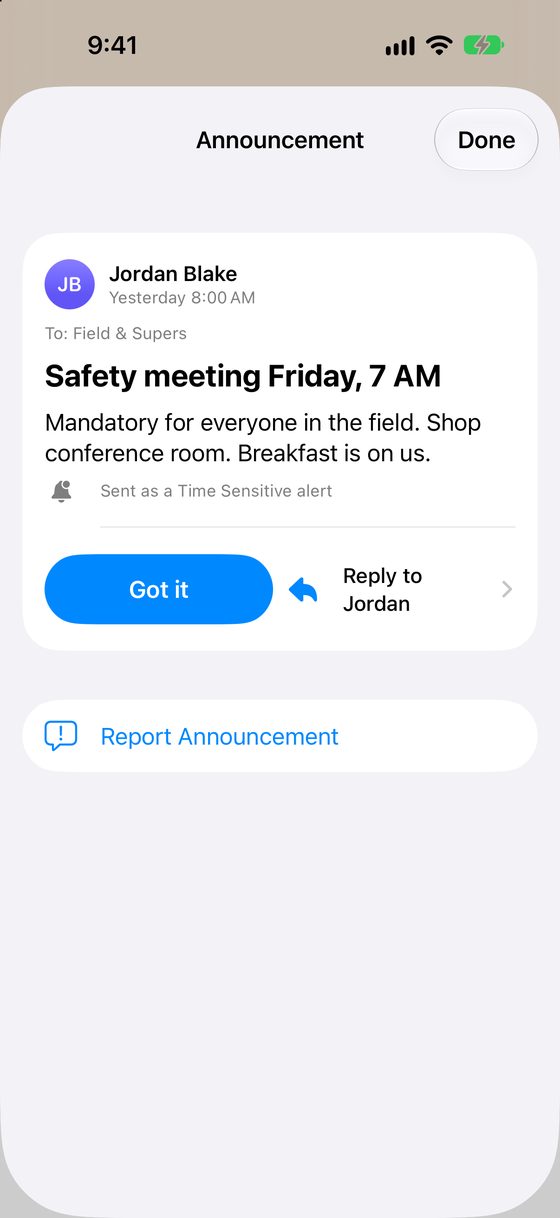
  • Each announcement arrives as a Time Sensitive alert and stays pinned at the top of the app until that person taps Got it.
  • You see who has tapped Got it and who you're still waiting on, and you can remind the rest with one tap.
  • Send it to the whole shop or only the groups you pick. Schedule it for later, or repeat it every week.
  • Replies go privately to whoever posted it, so the announcement stays clean.
An announcement pinned above the chats on an iPhone
The announcement's page with its Got it button

Chats

Group chats that fill themselves.

  • Add someone as a tech and they're in the techs' chats right away. Deactivate them and they're out of every chat at once.
  • Photos, videos, voice messages, files, polls, reactions and replies.
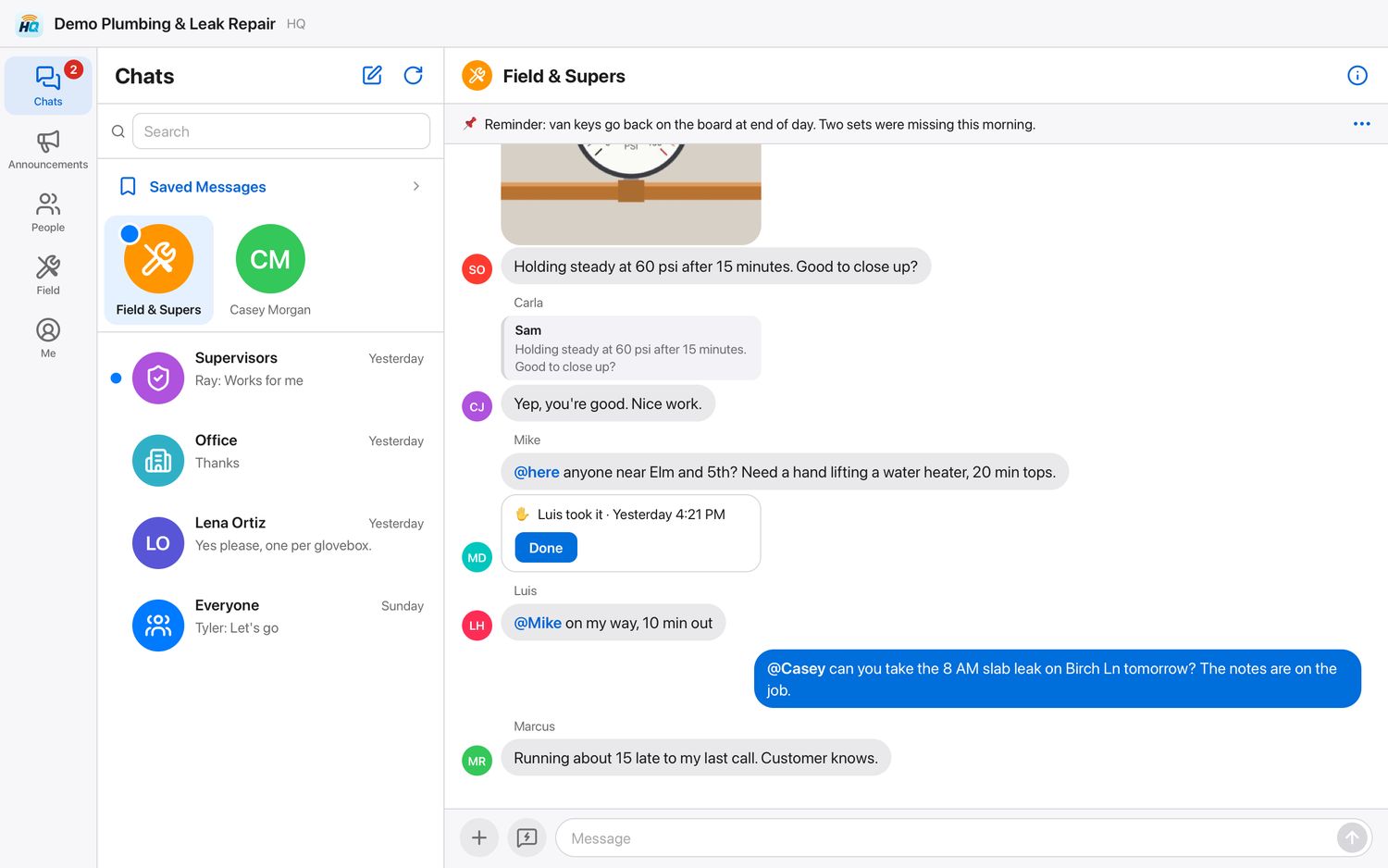
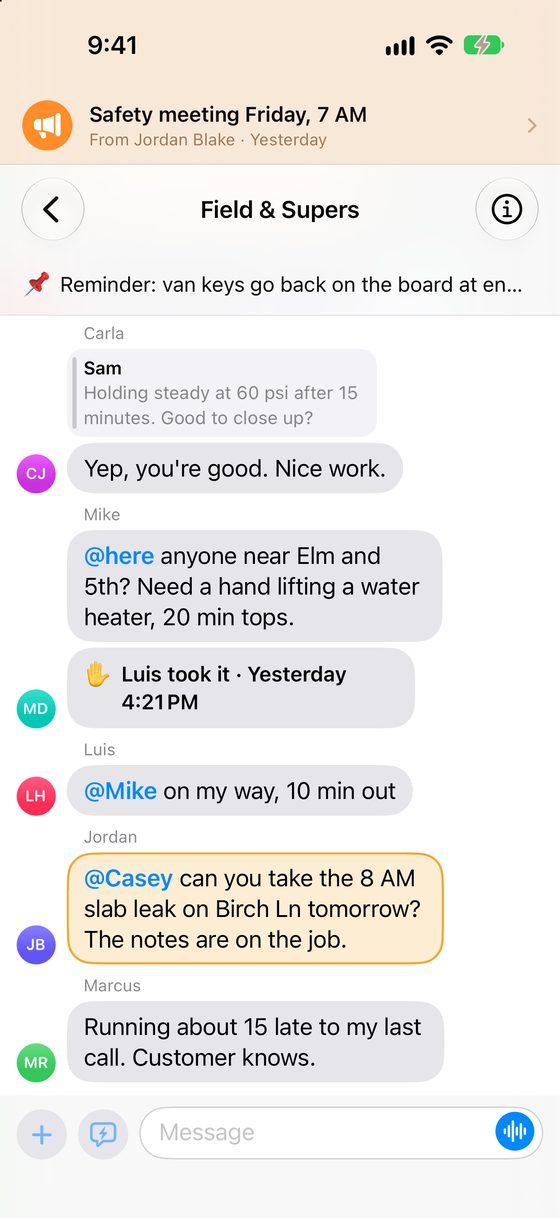
  • @mention a person to get their attention. Admins can also mention a role or everyone.
  • No signal? Messages wait on the phone and go out in order when it's back.
  • One-on-one chats show Delivered and Read.
A group chat for the field and supervisors on a PC
The same group chat on an iPhone, with an @mention

Field tools

The tools your techs use every day.

They live on one tab, next to the chats. Each shop turns on only the tools it wants.

Receipts

Point the camera at a receipt. The app snaps it, straightens it, and fills in the date and the total for you to check. Pick a category, add the job number and a note, and send. With QuickBooks Online connected, each receipt attaches itself to its card charge.

Parts

Need a special-order part or a new tool? Ask in the app. The shop orders it and tells you where to pick it up.

Van inspections

Checklists on a schedule, with photos of any damage.

Toolbox Talks

Safety talks, shop meetings and any other meeting you want on record. Each person signs on their own phone, and you see who signed and when.

Check on me

Working alone? Start a timer. If you don't tap I'm OK in time, the office is alerted.

Forms

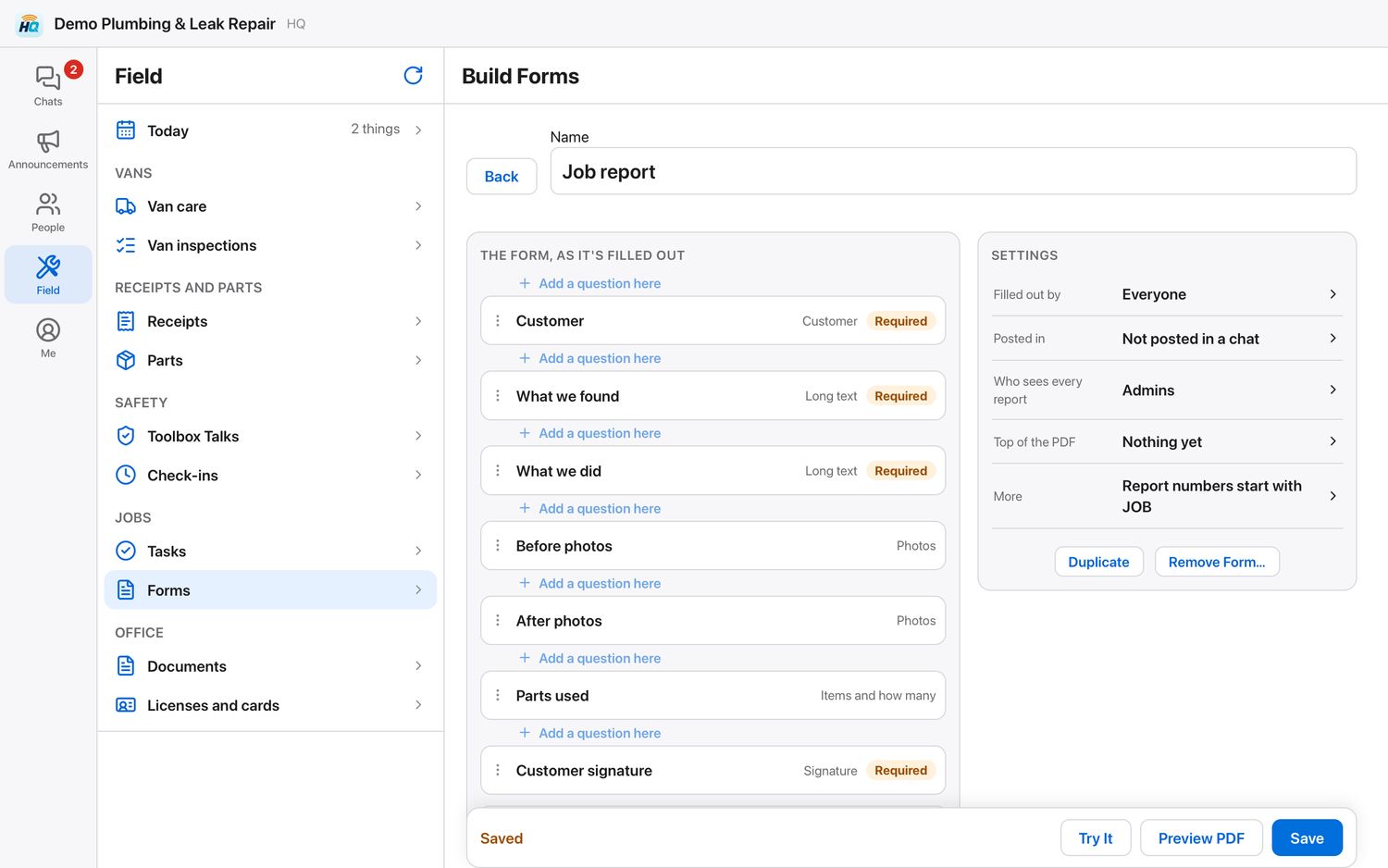
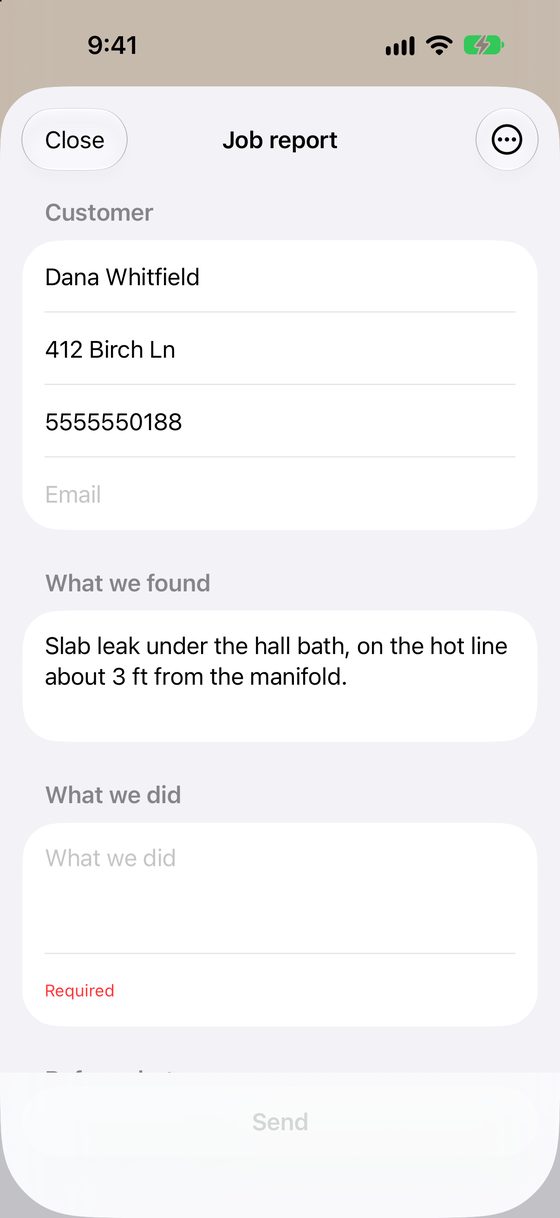
Build your own custom forms on the PC or an iPad: job reports, inspections, checklists, or any form your shop uses. Techs fill them out on the phone, and each one becomes a PDF report.

Also: tasks with due dates, shop documents, and reminders before licenses and cards expire.

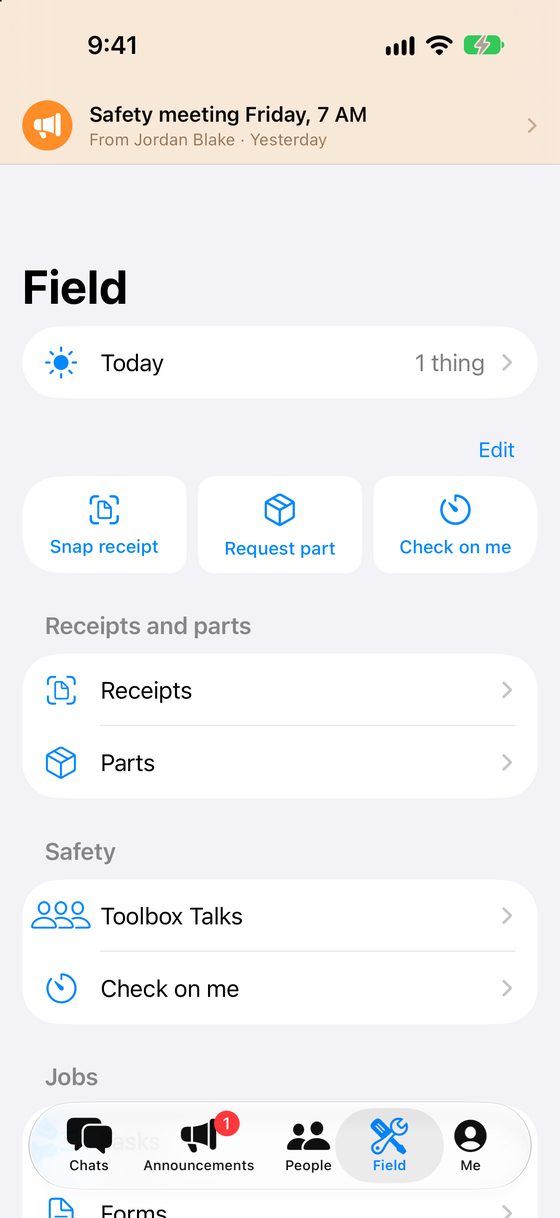
The Field tab on an iPhone, with tiles for Snap receipt, Request part and Check on me
Building a job report form on a PC
Filling out the job report on an iPhone

Quiet while they drive.

With Samsara GPS in the vans, HQ pauses itself and holds its alerts while a tech is driving. On another GPS system? Tell us which one.

Works with FormBusters.

Shops that use FormBusters get a job alert in HQ when a job is added to or taken off a tech's schedule for the day, and a job number in any message opens the job.

Your shop's own private space.

Admins add each person by name, mobile number and role. There's no public sign-up and no strangers.

No ads and no tracking.

Where it runs

On every screen in the shop.

  • iPhone
  • iPad
  • Android
  • PC
  • Mac

Techs get the app on their phone or tablet. The office uses the same chats in a web browser on a PC or Mac.

How it starts

Three steps, and your shop is talking.

  1. Ask for early access

    Tell us about your shop, and we'll set it up with you.

  2. Add your people

    A name, a mobile number and a role for each person.

  3. Hand out setup codes

    Each person signs in once with their code. That's it.

Want HQ in your shop?

We're opening it to a few shops at a time. Send us a note and we'll be in touch.

Ask for early access